![startupscom-logo-420-1.png]](https://help.startups.com/hs-fs/hubfs/startupscom-logo-420-1.png?height=40&name=startupscom-logo-420-1.png)
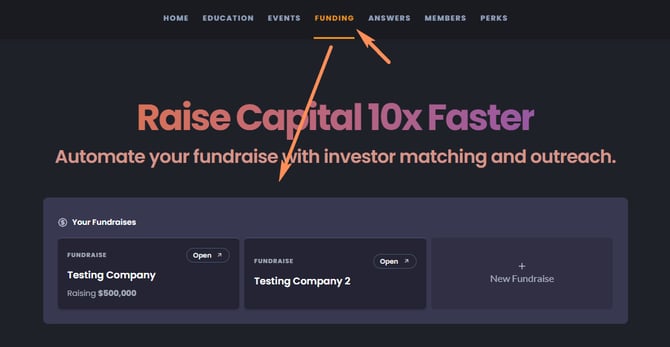
To delete one of your fundraise profiles, first log in to your Startups.com account. From the Funding tab, select Investor Matching. Your fundraisers will appear by default—simply choose the one you’d like to remove.
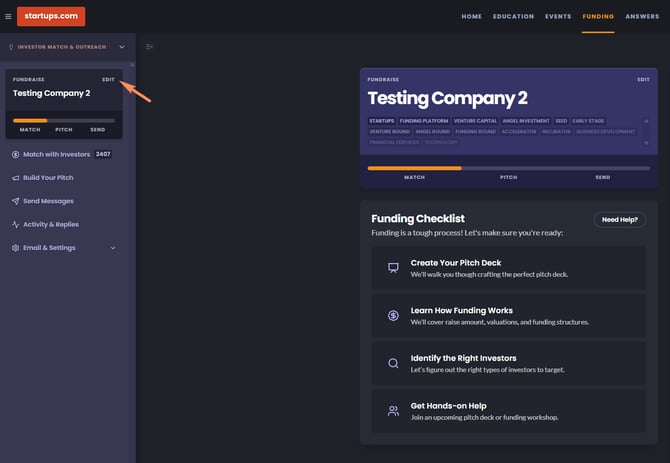
Click Edit in the fundraise info panel on the right side of your screen. Scroll to the bottom, and you’ll see the option to Delete.
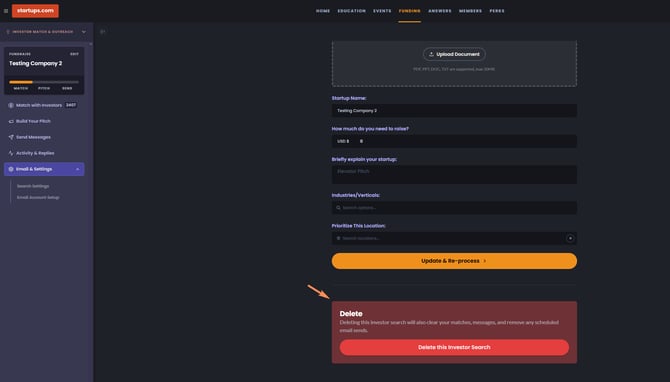
Please note: deleting a profile will also remove its investor matches, message history, and any scheduled email sends.