![startupscom-logo-420-1.png]](https://help.startups.com/hs-fs/hubfs/startupscom-logo-420-1.png?height=40&name=startupscom-logo-420-1.png)
Deleting a request is quick and easy. Follow the steps below to remove a request from your account.
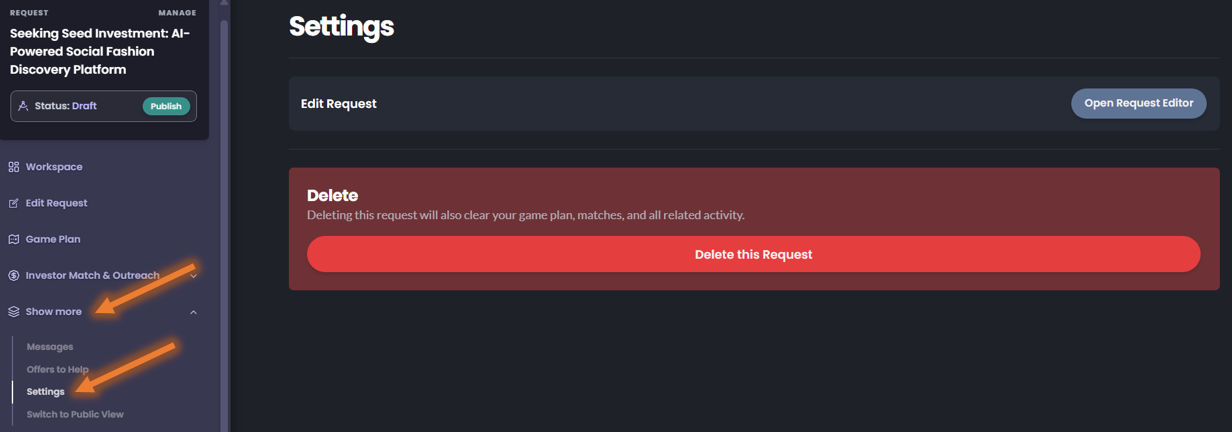
Steps to Delete a Request
- Open the request you want to delete.
- Click Show More.
- Select Settings.
- Click Delete this Request.
- When the confirmation prompt appears, click OK to confirm.
Caution
Published requests can also be deleted. Please make sure you truly want to permanently remove the request before confirming.