![startupscom-logo-420-1.png]](https://help.startups.com/hs-fs/hubfs/startupscom-logo-420-1.png?height=40&name=startupscom-logo-420-1.png)
After you submit a request, it will go through a review process before becoming visible on the platform. Reviews typically take 1–2 business days. Once the review is complete, you will receive a notification email informing you of the status of your request.
Possible Request Statuses
Your request will be marked as one of the following:
Published
If approved, you’ll receive a confirmation email. By default, your request will be publicly visible and accessible on the site, unless you choose to change its visibility settings.
Rejected
If your request is not approved, you’ll receive an email notifying you that it has been rejected. The email will include feedback explaining the rejection and steps you can take to update and resubmit your request.
Where can I see the status of my request?
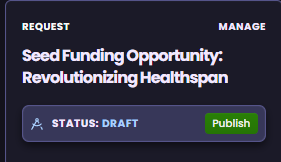
When you open your request, you'll see its current status displayed directly beneath the request title. This lets you quickly confirm whether your request is still in draft or published without needing to navigate elsewhere.