![startupscom-logo-420-1.png]](https://help.startups.com/hs-fs/hubfs/startupscom-logo-420-1.png?height=40&name=startupscom-logo-420-1.png)
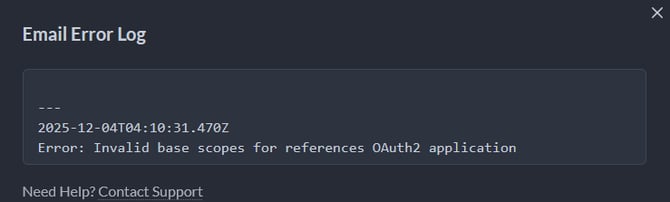
If your messages aren’t sending and you encounter the error “Invalid base scope for reference OAuth 2 Application Error,” this usually means that SMTP AUTH is not enabled on your Outlook account.
Once you turn on SMTP AUTH, the authentication process will work correctly, and your messages should go through without any problems.
Check instructions on how to enable SMTP AUTH in your account here: https://learn.microsoft.com/en-us/exchange/clients-and-mobile-in-exchange-online/authenticated-client-smtp-submission#enable-smtp-auth-for-specific-mailboxes
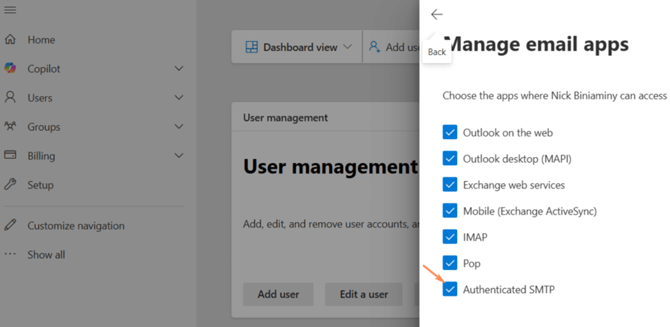
Once done, please authorize access one more time and choose Legacy. The final step is to test the connection.