![startupscom-logo-420-1.png]](https://help.startups.com/hs-fs/hubfs/startupscom-logo-420-1.png?height=40&name=startupscom-logo-420-1.png)
When you visit Startups.com, you'll see your list of Goals right away on your Dashboard.
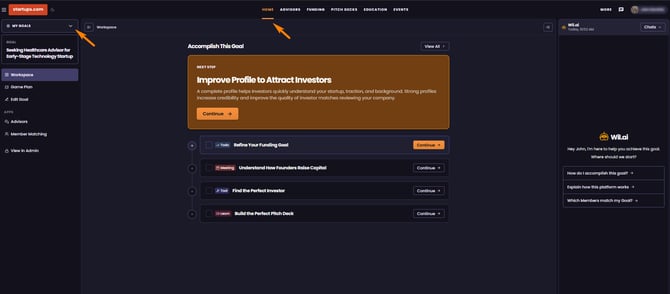
If you've navigated to another area of the website and want to return to your Goals, simply click Dashboard from the main navigation. This will take you straight back to your Goals list, where you can select the Goal you'd like to open.
You can also find your Goals on the left side of the Dashboard under the My Goals tab. If you have more than one Goal, simply hover over My Goals to view the full list.
From there, you can easily browse your Goals, review your progress, and continue working on your tasks.